


3d Games Games - :: Play Action Games :: | Play Action Games |
-

3D Speed BikePlayed: 214156 times -

3D Speed RacePlayed: 1905821 times -
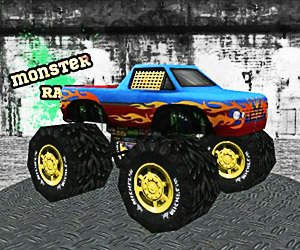
Monster Race 3DPlayed: 965169 times -
Street SeshPlayed: 4255656 times
Random Games
-
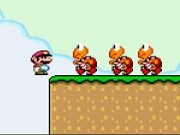 Super Mario Fla...
Super Mario Flash 2 is an adventure game of our favorite super hero Mario. In this game, you have to play as Mario and save your Princess Toadstool who have been kidnapped by evil Bowser. You have to use your arrow keys to move from one place to another, shoot your enemies by using your space bar. Hit blocks to get coins or to get useful items which can certainly make you more powerful to fight against all monster on your way. Avoid getting in contacted with harmful items or monsters. Collect maximum number of coins to score more points. Clear series all levels and get back your Princess Toadstool.
Play Now -
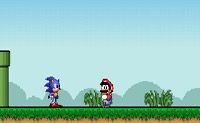 Sonic lost in M...
There is a mild adult theme at the end of this game for comic effect, but it is still family-friendly despite that. Sonic the Hedgehog is lost in the world of Super Mario. Help him escape by defeating Mario. Use the Cursor Left and Right keys (Arrow keys) to move Sonic, the
Play Now -
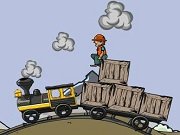 Coal Express
Coal Express is new train game where you have to drive your train and carry the loaded items to their destination to complete the level and to unlock the next. Use your mouse to pick and drop the containers in train trailer, to control and balance your train you have to use your arrow keys, make sure you have good speed and balance on bumpy rail tracks to reach the endpoint with required number of containers to complete the level. In each level, you will get an assigned target to deliver certain numbers of containers to successfully complete the given mission. Don't drop too many containers, if you did then you will fail in that particular level. Clear all levels and win the game.
Play Now -
 Bubble Tanks 2
Similar to BT1, you must travel through giant bubbles, destroying enemy tanks and taking their bubbles to fuel your growth. As you grow, you constantly evolve and get ever better weapons. In the end, you?ll have to face the ultimate adversary and defeat it to win the game. This game has been in development for a long time and I?m proud to finally release it! It has FAR more content than the first game- 26 unique tank states, over 30 weapons, and over 50 enemy types! Hundreds of comments on the first game have been considered in the development of this better version! Thanks to everyone who has supported us in this and all our games! Note: Keyboard settings can be changed via the settings menu. Default settings: Up, Left, Down, and Right = A, W, S, D Primary Fire = Hold mouse button down Secondary Fire (when available) = Space Pause and Menu = P
Play Now
Top Users


